Business-first
Built around everyday work
Manage billing, inventory, purchases and business reports from one connected workspace. Keep your daily operations organised and make decisions with more clarity.
Built around everyday work
Workflows for your team
Structured business records
Billing, stock and reports
Help with your setup
DBEST BOOKS helps businesses organise everyday billing, inventory, purchase entries and business reporting in one connected workspace. Review key business activity, keep item and stock information organised, and support head-office and outlet workflows in suitable configurations.
Whether you manage a retail counter, wholesale operation or multiple business locations, DBEST BOOKS gives you a place to bring core workflows together. Feature availability depends on your configuration; contact the DBEST team to discuss billing formats, reports, user permissions, branch requirements and optional WhatsApp bill sharing.
Explore DBEST BOOKS featuresGet a glimpse of the desktop workspace built to bring billing, inventory and business reports together.
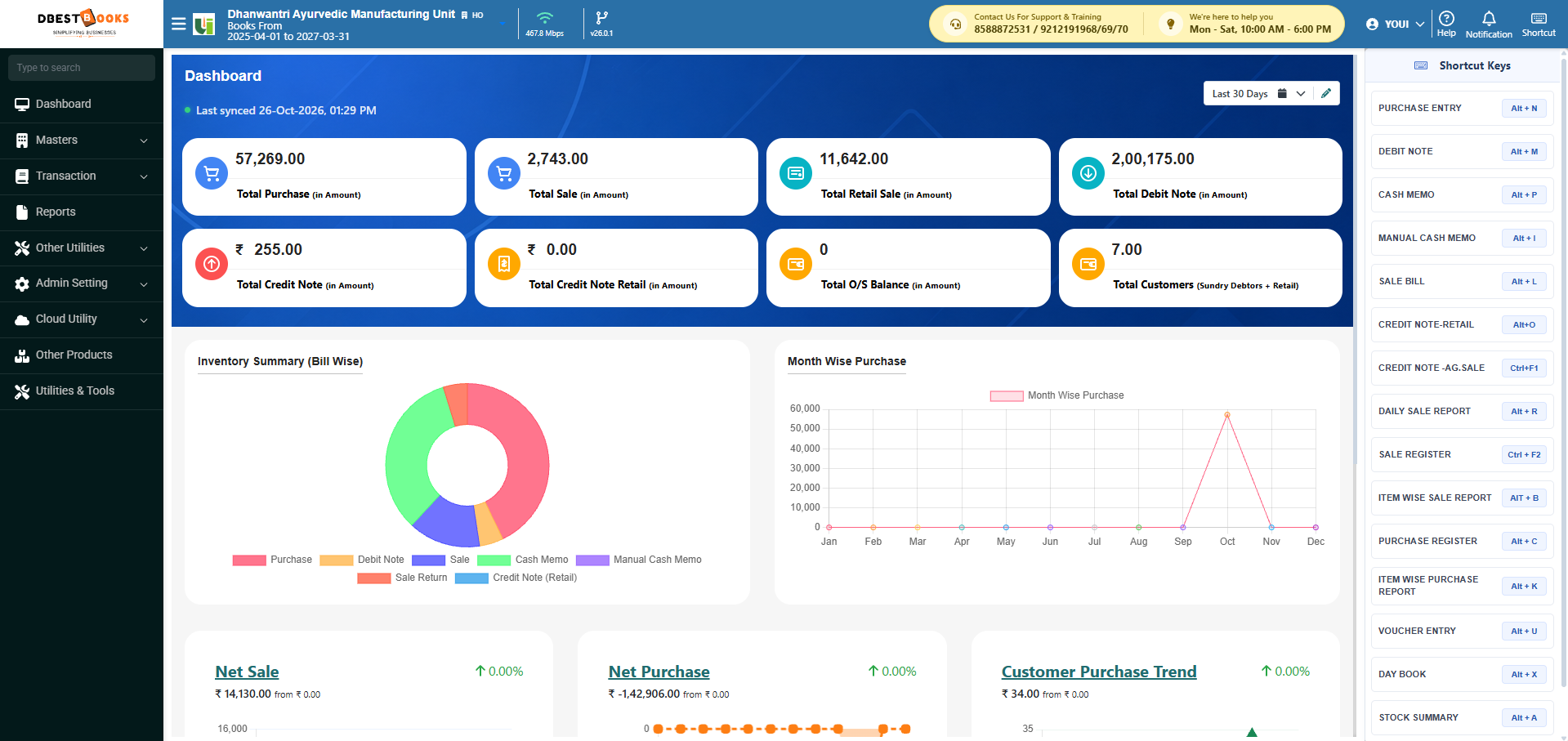
Bring essential business workflows together and give your team a clearer view of everyday operations.
Start with the workflows your business needs and discuss the right setup for your team.
Keep everyday tasks organised as your product range, team or business activity expands.
Review sales, purchase and stock information to understand what needs attention.
Bring key sales, purchase and inventory summaries into your regular review.
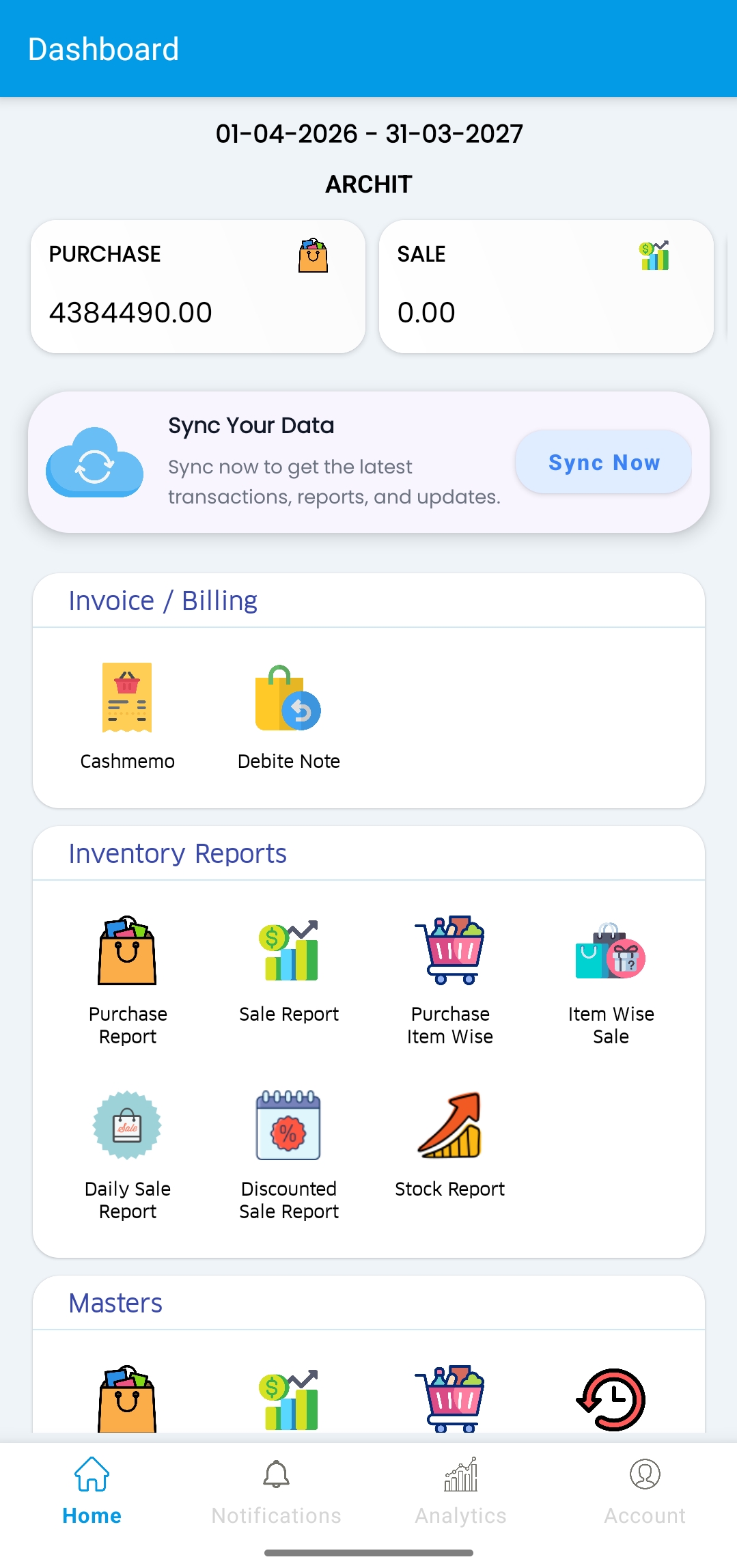
Keep sales and purchase summaries close when reviewing the day's work.
Connect item records, stock tracking and purchase activity in your workflow.
Use billing workflows and optional WhatsApp bill sharing for customer communication.
Organise user access around the roles and permissions available in your setup.
BUILT AROUND THE WORK THAT KEEPS BUSINESS MOVING
Bring essential retail and distribution workflows together so your team can spend less time chasing information and more time serving customers.
Keep billing, purchase entries and everyday operations in a consistent workflow.
Explore workflowsUse sales, purchase and stock reports to understand what is happening across your business.
Explore reportingOrganise head-office and outlet workflows with company and branch-aware operations.
Explore branchesDBEST BOOKS brings together the everyday work behind running a retail or distribution business.
Create sales bills and cash memos using a workflow designed for everyday counter operations. Choose supported print layouts to suit your billing setup.
Keep item information, stock movement and purchase activity organised so your team can make better replenishment decisions.
For businesses operating across locations, company and branch-aware workflows help users work in the right business context.
Bring sales, purchase and inventory information into reports that help you review performance and identify what needs attention.
Where WhatsApp integration is enabled and configured, send supported bill documents to customers using the connected business setup.
A guided onboarding journey can help your business get ready without losing track of the setup process.
Talk to our teamStart registration with your mobile number and verify it with an OTP.
Enter the essential company information required for your ERP setup.
Your account and company setup can be provisioned according to the selected configuration.
Sign in to your workspace and begin using the features available in your setup.
Whether you manage a single counter or multiple outlets, start with the workflows that matter to your team.
Organise purchase entries, sales activity and stock information for daily operations.
Explore fitSupport company and outlet-aware working in suitable ERP configurations.
Explore fitManage electrical items, purchase entries, sales billing and inventory with organised business workflows.
Explore fitOrganise footwear products, size and item records, billing and stock tracking for everyday store operations.
Explore fitManage fast-moving products, purchase and sales entries, inventory and business reports in one workflow.
Explore fitManage computer components, accessories, purchase entries, sales billing and inventory with organised workflows.
Explore fitUse connected workflows instead of treating every daily task as a separate process.
Use available reports to review sales, purchases and stock activity across selected dates.
Discuss company, branch, user and permission requirements around the way your team operates.
Pricing depends on your business requirements, users, branches and selected features. Contact us for a plan tailored to your setup.
Build a strong everyday workflow for billing and stock operations.
Discuss the workflows your team needs as business activity grows.
Plan the right configuration for teams working across business locations.
Features and availability vary by configuration. Final pricing and inclusions will be confirmed by the DBEST team.
Need to understand the fit for your business? Here are a few common questions.
Tell us a little about your business. We'll use it to understand which workflows you want to explore.